Merge game: numbered soft balls in your browser
A merge game of numbered soft balls: two matching balls become the next number. Play in your browser, for fans of the watermelon game and suika game.
- Free
- No sign-up
- Nothing to install
Loads about 22 MB when you press Play. Nothing to install. Open it on its own page
The game could not start. Check your connection and reload the page.
A merge game where the balls carry numbers
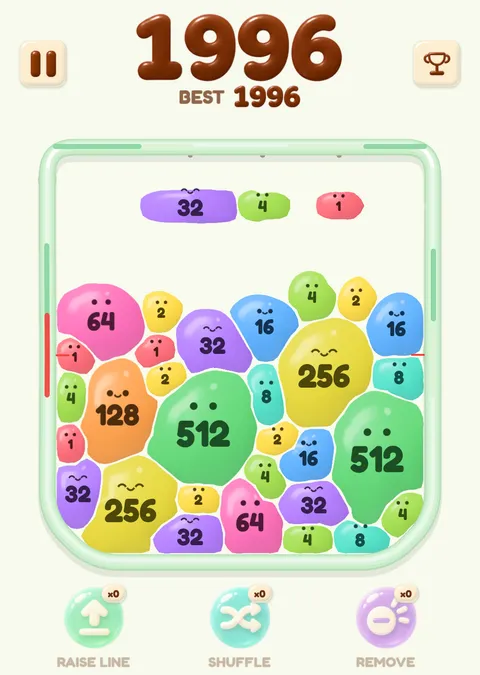
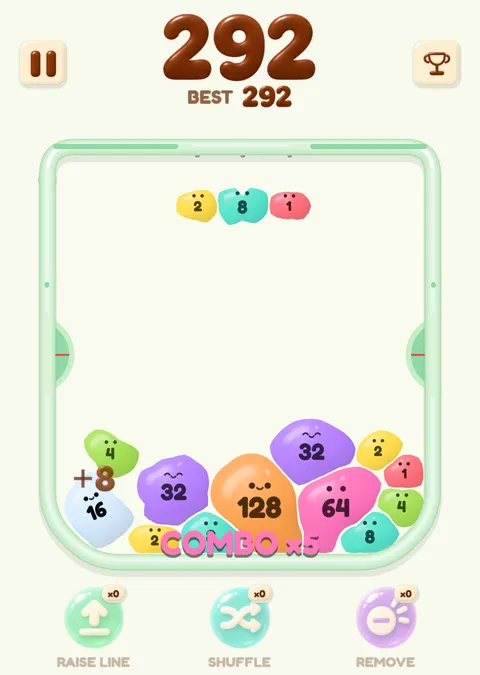
Squish Merge is a merge game you play by launching numbered balls into a jar. When two balls with the same number touch, they merge into one ball with double the number: 1 and 1 make 2, 2 and 2 make 4, and so on. Like the watermelon game and the suika game, and like most merge games, it is about stacking and merging, but the balls here carry numbers instead of fruit.
The balls are soft. They squash when they land, deform under the weight of the pile and push against each other, and when two balls merge, their outlines join into a new one instead of one ball simply being swapped for another. Each number is only a little bigger than the one before.
You press a ball, pull it down to aim and let go to launch it. The balls that start a round are numbered 1 to 64; anything bigger can only be made by merging. A round ends when the pile pushes the plates on both sides of the jar all the way down. There is no timer, and no ads in the game.
More about the game:
- 2048 ball how doubling numbers work here, and how a ball differs from a 2048 tile.
- Soft body merge game what soft balls do when they land, pile up and merge.
- Merge games online playing in a browser on a PC, Chromebook or phone.
Sobosuba, the team behind it
Squish Merge is made by sobosuba. The game runs in a browser tab: press Play on this page and it starts, with no account and nothing to install.
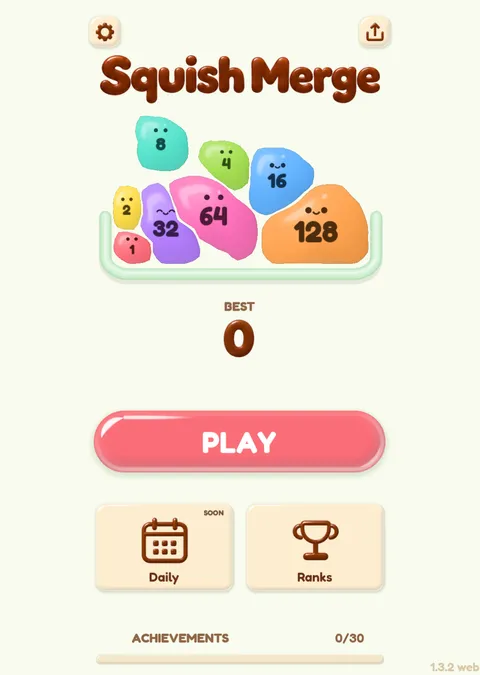
The first screen after the game loads is the lobby, with the Squish Merge title and a Play button.
More about the name, phones and browsers on the page for sobosuba online.
Questions about this merge game
Can I play this merge game online?
Yes. Press Play on this page and the game starts inside the page, in your browser. There is no account to create. The game starts downloading when you press Play.
Can I play it on a PC, including a Chromebook?
Yes. It is a browser game, so a Windows, Mac or Linux PC and a Chromebook all open the same page. You aim with a mouse or trackpad: hold the left button on a ball, drag to aim, release to launch, and right-click to cancel a launch. If it does not start, reload the page.
Do I need to download or install anything?
No install. Pressing Play loads about 22 MB into the page. On a slow or metered connection, wait for a better one before you press Play.
Is it free?
Yes. You do not need to sign up, and the game shows no ads while you play.
How do I merge balls?
Launch a ball so that it lands against a ball with the same number. The two merge into one ball with double the number. Balls with different numbers just sit against each other, so plan where each one lands.
When does a round end?
Each side of the jar has a plate. When the pile pushes a plate all the way down and holds it there for 0.5 seconds, that side counts as full. When both sides are full, the round ends and your score is counted. There is no countdown and no second chance.
Does it work on a phone?
Yes, in a phone browser. On a touch screen you press a ball, pull down to aim, release to launch, and drag back to cancel. The page and the game use a portrait layout on phones.
Is this the watermelon game or the suika game?
No. It is a different game, called Squish Merge, with numbered balls instead of fruit. This site is not affiliated with Aladdin X or Suika Game.