Merge games online: play in your browser
There are many merge games online, and most ask you to install something or to sign in. Squish Merge asks for neither: it runs in a browser tab, on a PC, a Chromebook or a phone.
- Free
- No sign-up
- Nothing to install
Loads about 22 MB when you press Play. Nothing to install. Open it on its own page
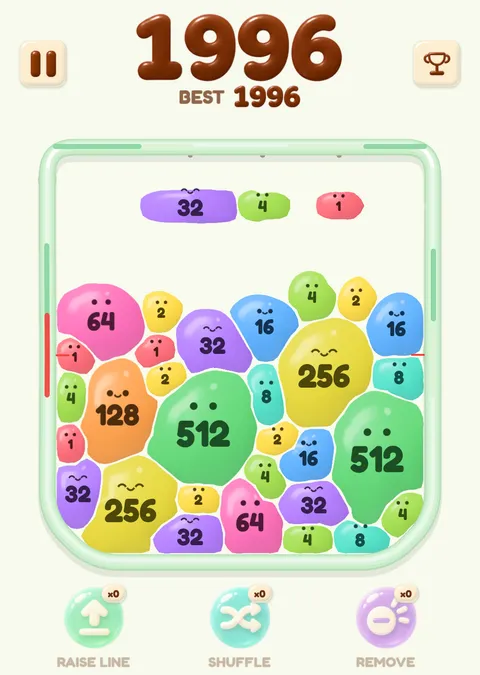
The game could not start. Check your connection and reload the page.
Play merge games online without an account
Press Play above and the game opens inside this page. You do not sign up and nothing is installed. The game does not show ads while you play. The game does keep a few things: it keeps your settings and best scores in the browser storage of this site, and it sends your score to its leaderboard when a round ends. The privacy page describes both.
The game starts downloading when you press Play.
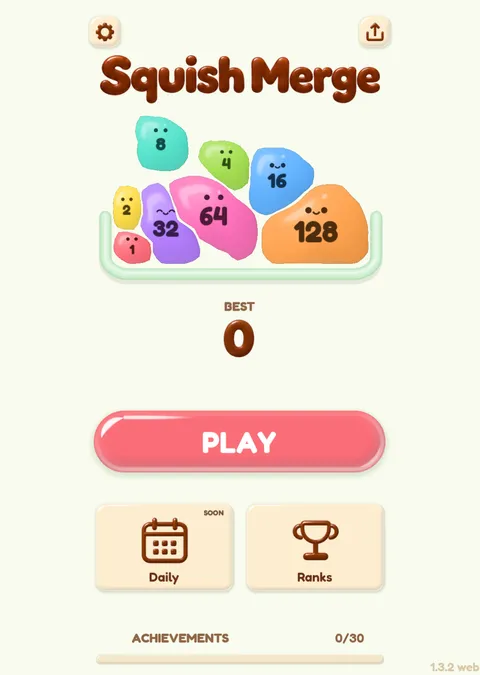
On a PC or a Chromebook
On a PC the game shows a landscape view and works in a current browser on Windows, macOS and Linux. A Chromebook opens the same page in Chrome as any PC does. If it does not start, reload the page.
You play with a mouse or a trackpad. Hold the left button on a ball, drag to aim, release to launch, and press the right button to cancel a launch. After the game has loaded, a Full screen button appears under the game; use it if you want the game to fill the screen.
On a PC you can also switch skins. On a touch screen the look is fixed.
On a phone or a tablet
Open this site in the browser on your phone and press Play. A touch screen gets a portrait layout, with soft rounded balls that have little eyes. You press a ball, pull down to aim, release to launch and drag back to cancel. You can't change skins on a touch screen, so the look stays the same there.
Hold the phone upright; that is the layout the game uses.
How long the game takes to load
When you press Play, the game loads. A fast connection takes seconds to fetch it; a slow one takes longer, and the game shows its own loading screen while it does. If you are on a metered connection, think about whether you want to spend that data before you press the button.
The game interface is translated into English, Japanese, Traditional Chinese and Spanish. Korean and French are not translated yet, and the game falls back to English in those languages.
Saved scores and settings
Because the game runs online in your browser, whatever it saves is saved in that browser, for this site. That covers your settings, achievements, unlocked skins, your best scores and a random anonymous player name. Clearing the site data in your browser removes them, and a different browser or device starts fresh.
When a round ends, the game also sends the score, the biggest ball number, the random player ID and the display name to its leaderboard service. Pick a display name that does not identify you. The privacy page has the full list of what is stored and sent.
If the game does not start
Check your connection, then reload the page and press Play again. If your browser blocks site storage, allow it for this site, because the game saves your settings and scores there. A work or school network can also block a site or large downloads, in which case you will need to ask whoever runs the network.
Quick start for a first round
Launch balls of the same number at each other. Two 1s make a 2, two 2s make a 4, and so on. Only balls numbered 1 to 64 are handed out, so bigger numbers come from your merges. The round ends when both side plates are pushed to the bottom and held there for 0.5 seconds each; there is no timer.
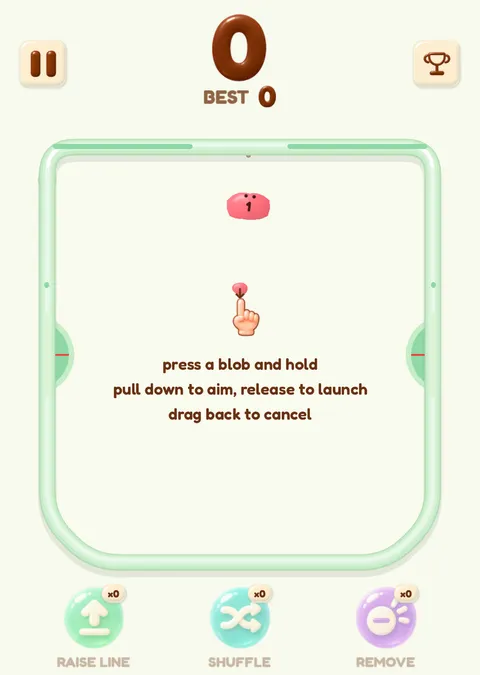
The home page has the game first and a short guide to the merge game under it.
- About the team and the name: sobosuba online.
- How the doubling numbers work: 2048 ball.
- Why the balls squash: soft body merge game.
Questions about playing online
Can I play merge games online without downloading anything?
Yes. Squish Merge runs in your browser. Pressing Play loads about 22 MB into the page, and nothing is installed on your device.
Does it work on a Chromebook?
It is a browser game, so a Chromebook opens the same page as a PC. Aim with the trackpad or a mouse. If the game does not start, reload the page.
Does it work on a phone browser?
Yes. Phones get a portrait layout, and you aim by pulling a ball down and releasing it.
Do I need an account?
No. The game gives you a random anonymous player name and keeps your best scores in your browser for this site.
Are there ads?
The game shows no ads while you play.
Which languages does the game have?
The game follows the language of the page you open it from. English, Japanese, Traditional Chinese and Spanish are translated, and Korean and French currently use the English interface.